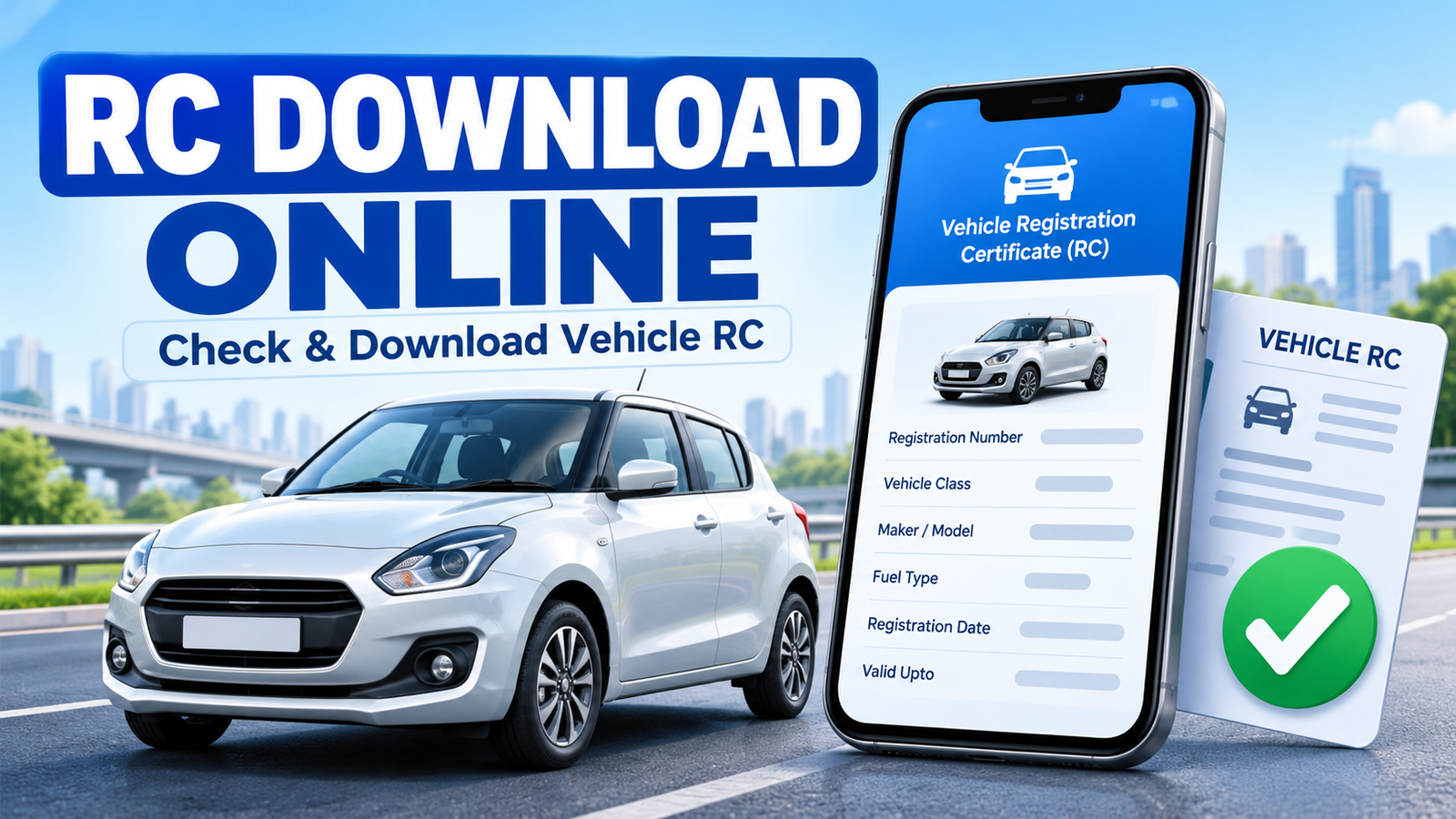
A digital Registration Certificate is useful when the physical document is unavailable. The RC Download Online process lets vehicle owners access an officially issued electronic RC through DigiLocker or mParivahan.
Checking vehicle information and downloading a digital RC are different. A public search shows limited details, while an authorised digital RC is an official electronic document.
What Is a Vehicle Registration Certificate (RC)?
A Registration Certificate confirms that a vehicle is registered with the appropriate Regional Transport Office (RTO). It generally contains:
- Vehicle registration number
- Owner and registering authority details
- Vehicle class and fuel type
- Manufacturer and model
- Registration date
- Insurance and fitness information, where available
- Chassis and engine information, usually shown partly for privacy
Owners should keep RC information accurate. For corrections, contact the relevant RTO or use an applicable VAHAN service.
How to Check RC Details Online
The Parivahan portal provides a “Know Your Vehicle Details” service for checking basic information associated with a registration number.
Steps to check vehicle RC details through Parivahan
- Open the official Parivahan website.
- Find the Know Your Vehicle Details or vehicle-related services section.
- Sign in or create an account if the portal requests it.
- Enter the vehicle registration number carefully.
- Complete the verification or captcha displayed on the screen.
- Submit the request to view the available details.
Available results may include vehicle class, fuel type, registration status and registering authority. Sensitive details may be hidden.
This search checks registration information; it may not provide an officially issued downloadable RC.
How to Download RC Online Using DigiLocker
DigiLocker provides documents issued electronically by participating authorities. An RC under Issued Documents differs from a photo or uploaded scan.
Steps for RC Download Online through DigiLocker
- Open the DigiLocker website or official mobile application.
- Sign in using your registered mobile number or the authentication method offered.
- Complete account verification if prompted.
- Go to Search Documents, Get Issued Documents or a similarly named section.
- Search for the Ministry of Road Transport and Highways or the relevant transport issuer.
- Select Registration of Vehicles or Registration Certificate.
- Enter your registration number and any additional vehicle detail requested, such as the chassis number.
- Confirm the details and submit the request.
- Once retrieved, open the RC from the Issued Documents section.
- Use the available view, share or download option.
Menu names can change after an update. Follow the current labels and use the issuer-generated document for official purposes.
How to Access Digital RC Through mParivahan
The official mParivahan app provides vehicle information and access to a virtual RC.
Steps to access a virtual RC
- Install the official mParivahan application from your device’s authorised app store.
- Register or sign in using your mobile number.
- Select the RC or vehicle-related option.
- Enter the complete vehicle registration number.
- Follow the verification instructions shown in the application.
- If requested, enter identifying information suc
- h as the last digits of the chassis number.
- Add the verified RC to the application’s virtual document section.
- Open it whenever you need to view the available registration information.
Use only the genuine government application. Avoid websites or apps that promise an RC download without proper authentication.
Documents and Details Required
Keep the following information available before starting:
- Complete vehicle registration number
- Mobile number for OTP verification
- DigiLocker or mParivahan account
- Chassis number, if requested
- Access to the mobile number connected with the account
- Correct vehicle and owner information
Requirements vary by issuer and record.
Common RC Download Problems and Solutions
RC record is not found
Check the registration number and remove unnecessary spaces. New or older records may not be available immediately.
Vehicle details do not match
Use the details on the physical RC. A small error in the registration or chassis number can stop retrieval.
OTP is not received
Check the mobile number and network coverage, then wait before requesting another OTP.
RC is visible but cannot be downloaded
Check app permissions, internet connectivity and device storage. Reopen the document from the issued or virtual RC section.
Details are incorrect
The app displays issuer records. Contact the RTO or use the appropriate VAHAN service to request a correction.
Is a Digital RC Valid in India?
Electronic RC records available through DigiLocker and mParivahan are government-supported digital documents issued by authorised sources.
A screenshot or uploaded scan is not the same as an issuer-generated digital RC. Keep the document accessible in the official app for verification.
Frequently Asked Questions
Can I download an RC using only the vehicle number?
The registration number is essential, but DigiLocker or mParivahan may request additional information for verification.
Is checking RC details the same as downloading an RC?
No. An online search usually displays limited vehicle information. A digital RC is retrieved from an authorised issuer and stored in an official document service.
Can I download another person’s digital RC?
Access to an officially issued RC may require authentication and vehicle-specific information. Do not try to access documents without the owner’s permission.
Why is my RC not appearing in DigiLocker?
The details may not match or the selected issuer may not hold the record. Verify the information and contact the issuing authority if needed.
Should I use a third-party RC download website?
No. Use government-supported services and avoid entering personal or vehicle information on unverified websites.
If you are also applying for a driving licence, read our guide on how to apply for a Driving Licence online
Conclusion
For RC Download Online, use DigiLocker or mParivahan. Parivahan helps check basic registration details, while the two official apps can provide an authenticated digital RC when available.